

SOLUTIONS
Data & Relationship Analytics Solution
A solution that structures business data and analyzes the relationships within it through charts and network graphs.
When business data is spread across several systems, table-by-table queries alone rarely show how entities connect. The AxisNet core engine structures the data, loads it into a data warehouse, search index, graph database, and vector database, and provides chart analysis, relationship analysis, search, and drill-down on the same dataset. Data models and screens are configured to each client's requirements.
Architecture
SUB-SOLUTION 01
Data Upload & Profiling
Upload an Excel file (.xlsx, .xlsm) and AxisNet detects its column types and registers it as an analysis dataset. Narrow the data by category, date, or measure, and review statistical summaries, correlations, rankings, and outliers in one panel.
- Schema inference — row count, column count, and column types identified automatically
- Pivot aggregation — 8 aggregation types, date and category filters, row and column layout
- Analytics insights — statistical summary, Pearson correlation, rankings, outliers
- Shared datasets — the same dataset used in chart visualization (②) and relationship analytics (③)
SUB-SOLUTION 02
Pivot-driven Visualization
Lay out a dataset's rows and columns to build a chart. Switch among 16 chart types in 4 groups to compare views, and add reference lines such as mean, standard deviation, and regression. Drill down from any chart point to the source data, and export each chart as an image or a table.
- 16 chart types in 4 groups — standard; ratio and composition; distribution, matrix, and correlation; maps
- 8 reference lines, split comparison with Small Multiples
- Drill-down — from a chart point to the source data list and single-record detail
- 5 export formats — clipboard (TSV), CSV (Excel compatible), PDF, PNG, SVG
SUB-SOLUTION 03
Network Relationship Analytics
Map dataset columns to nodes and edges to build a relationship graph. Centrality and shortest-path analysis find key nodes and paths, search and node expansion adjust the scope of analysis, and a timeline shows the distribution over time alongside the graph. Save a graph to a file and reopen it later.
- Graph mapping — columns defined as nodes (key, properties) and relationships as edges (type, direction)
- 4 centrality analyses — Degree, Betweenness, Closeness, PageRank
- Shortest-path analysis — path and distance between two nodes
- Node expansion and removal — exploration in 1-hop and N-hop steps
- Search entry — keyword and regex search results reflected on the graph
- Timeline — distribution and range of node occurrence times shown alongside the graph
- Graph saving — save to file, reopen, share
SUB-SOLUTION 04
Custom Dashboard
Place saved charts and graphs as widgets to build dashboards by topic. Organize dashboards into tabs; changes are saved automatically.
- Widget catalog — add saved chart and graph widgets
- Multiple dashboard tabs — position lock, pin, default view, auto-align
Key Screens
AxisNet screens for data upload and field matching, chart visualization, and relationship analytics.
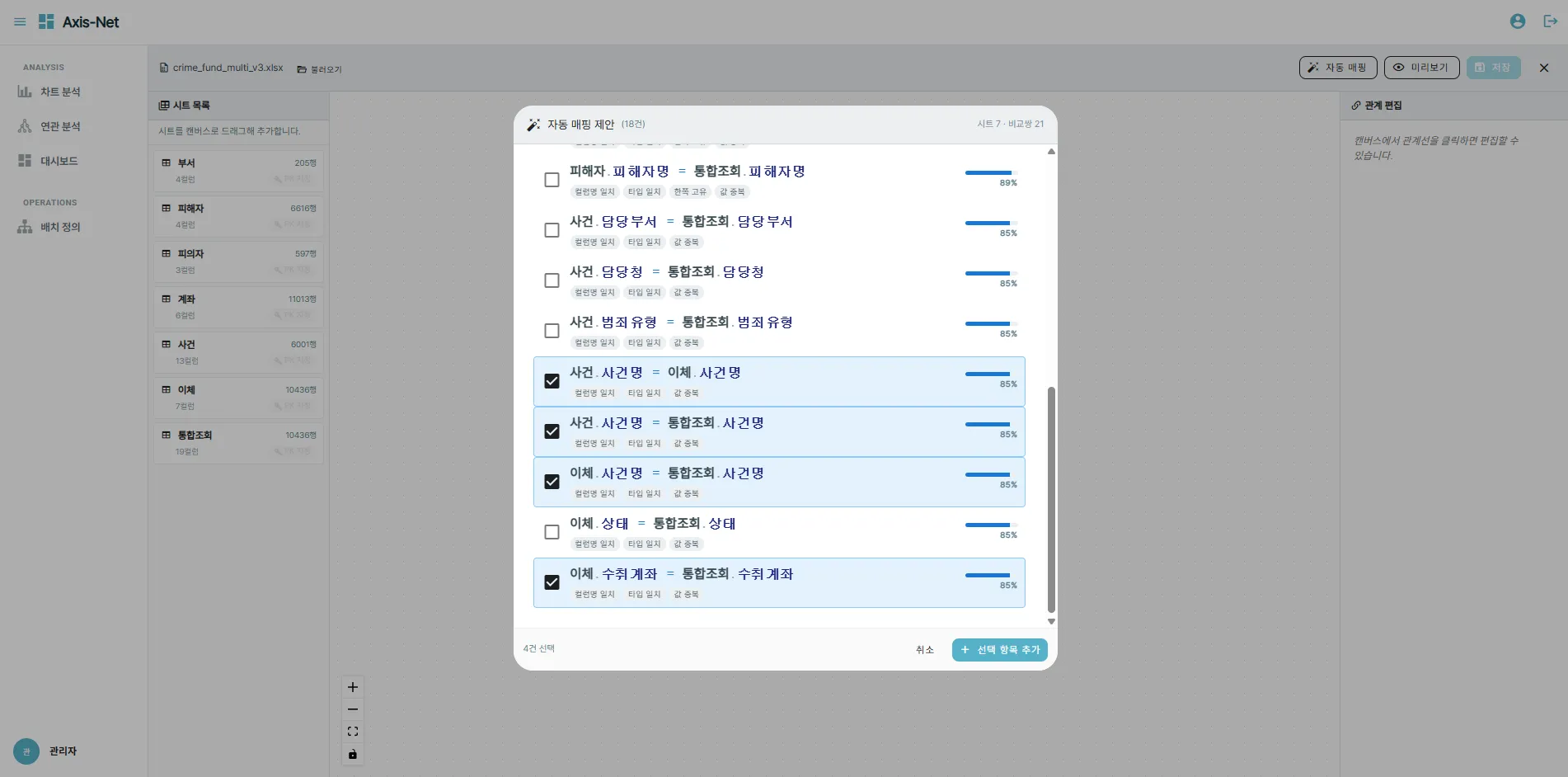
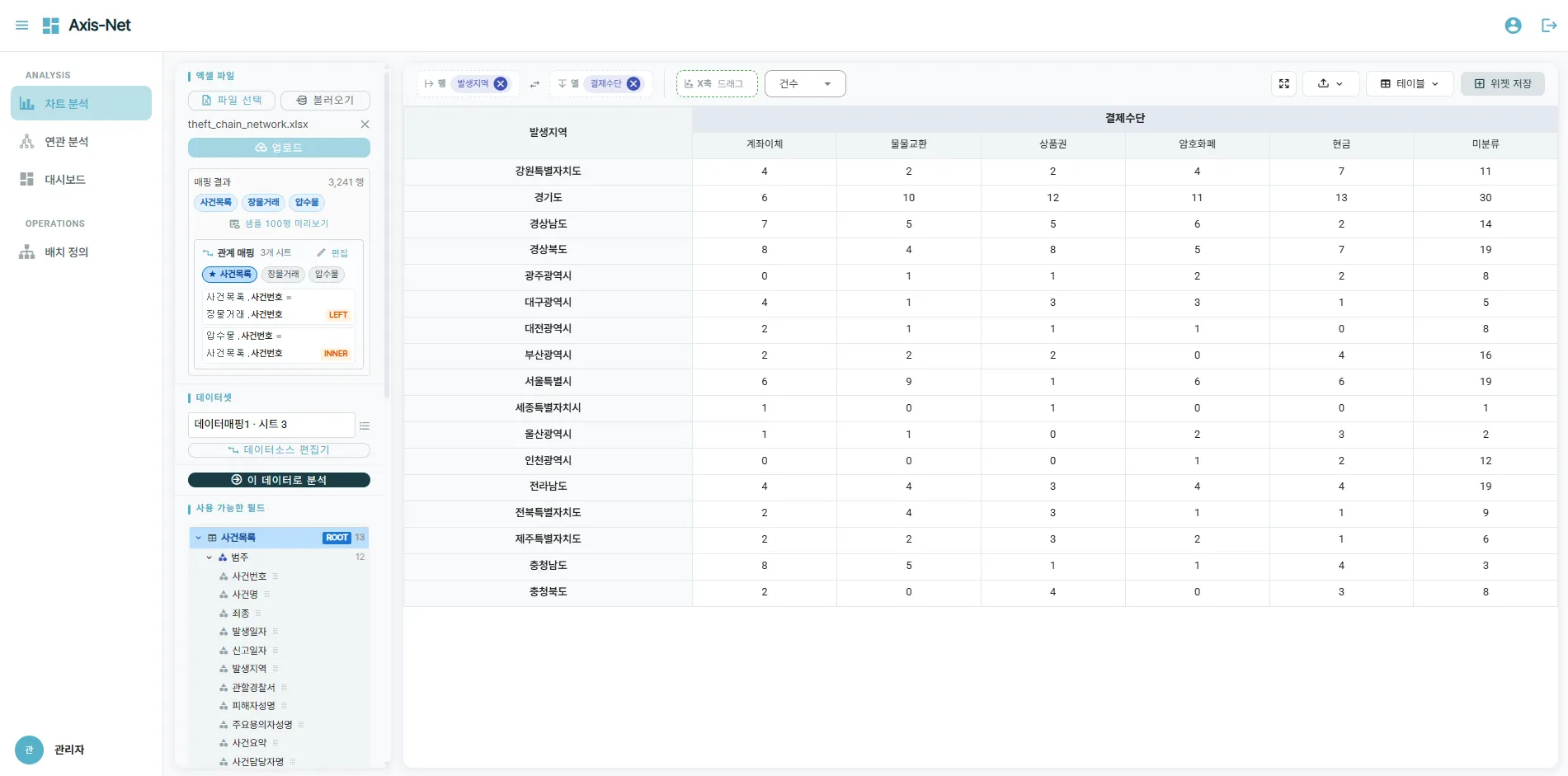
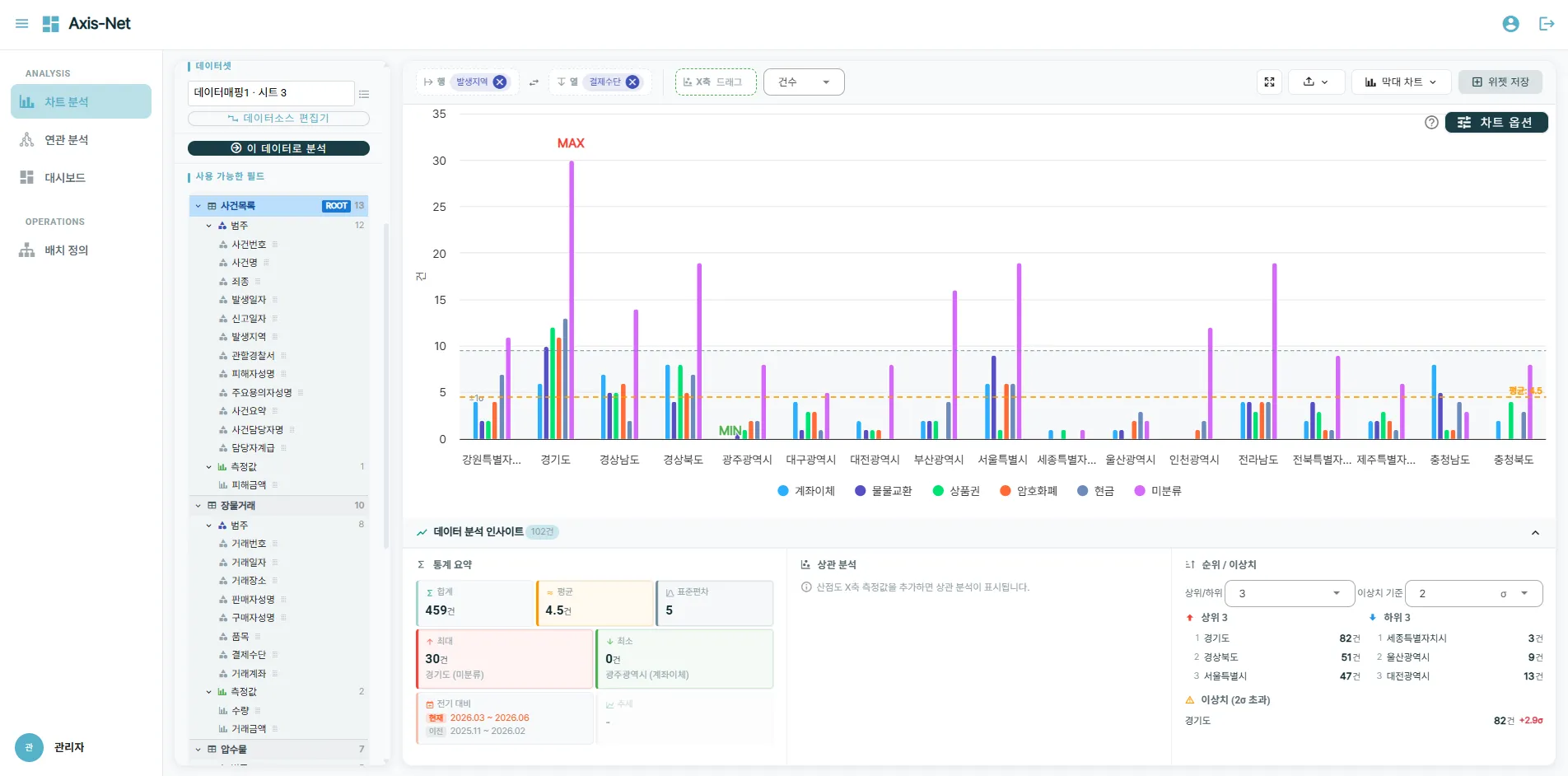
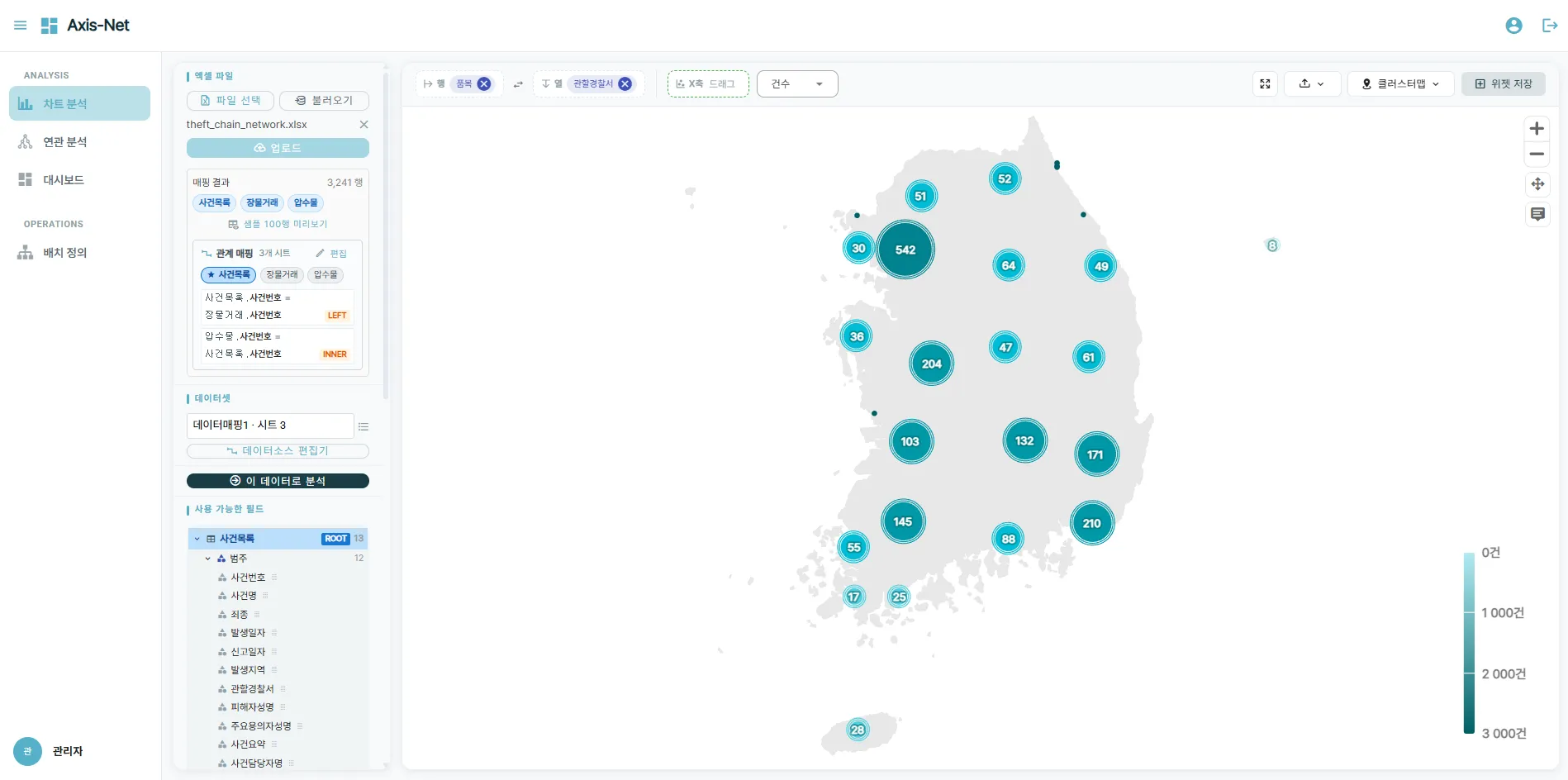
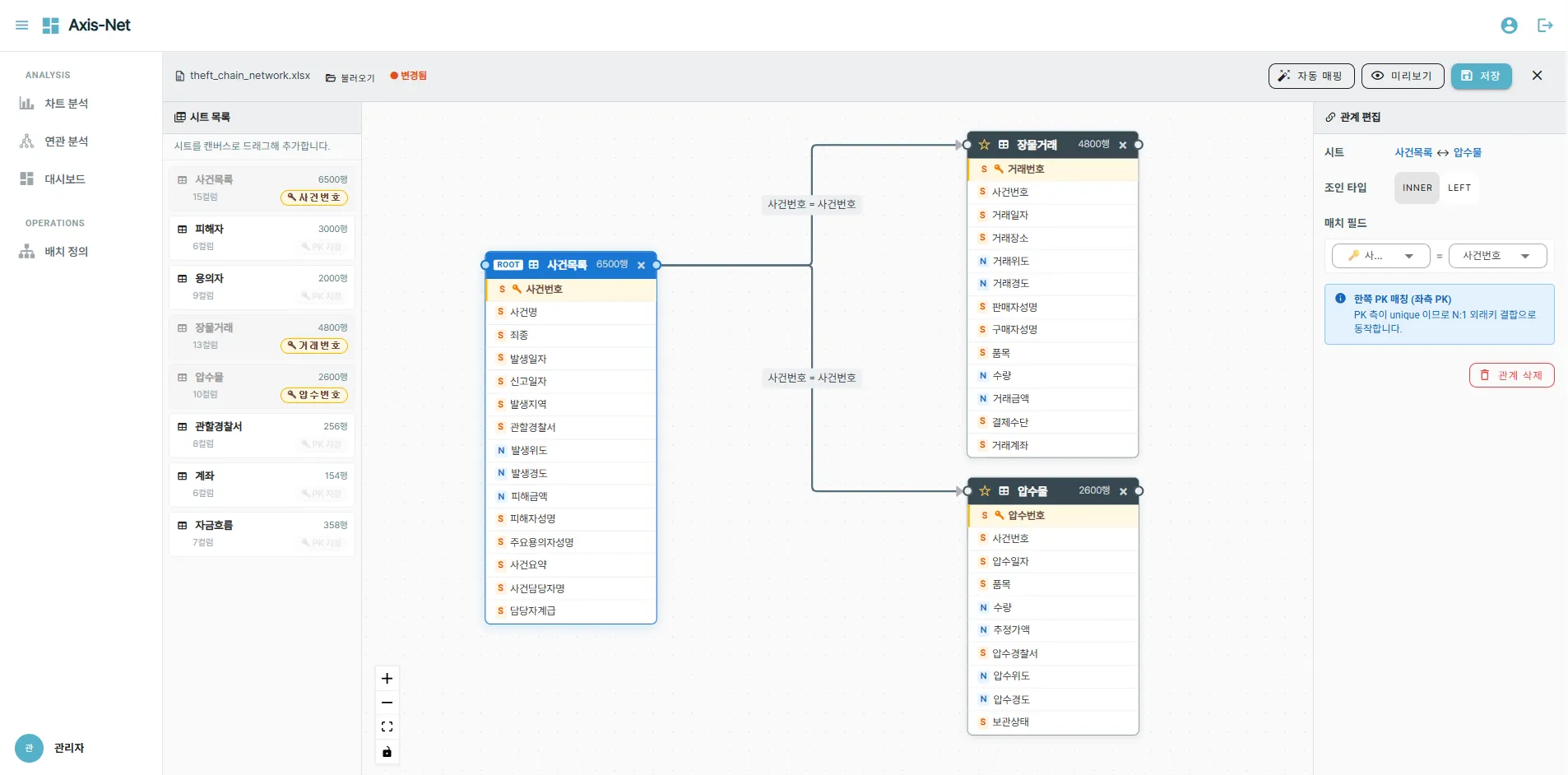
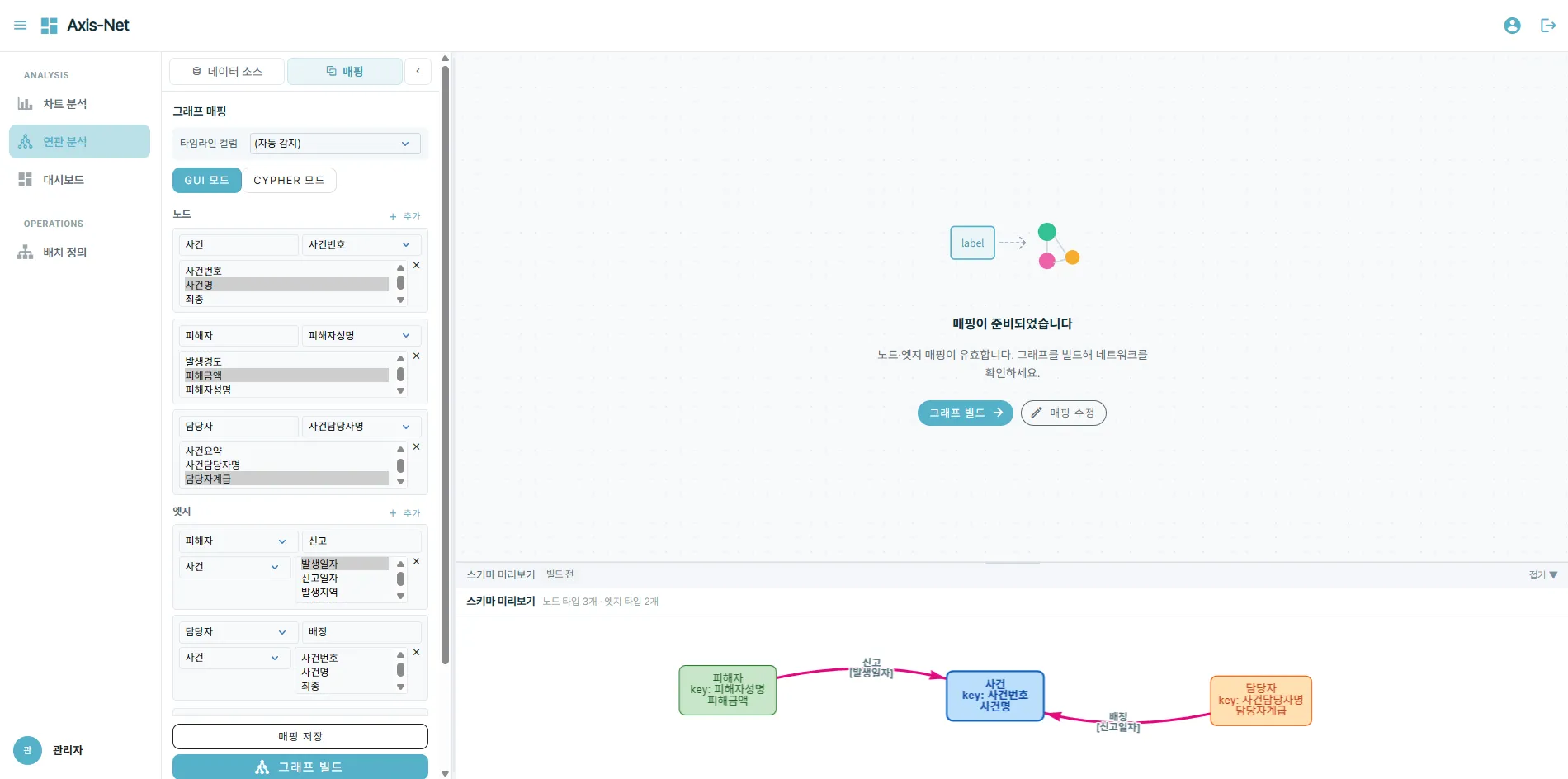
※ All data shown on-screen is fictitious, generated with AI.
Use Cases
- 2024Korean National Police Agency
“Next-Generation Forensic Science Platform” Project
Used for data analysis and relationship visualization.
- 2023Korean National Police Agency
“Cyber International Cooperation Portal System Enhancement” Project
Used for data analysis and relationship visualization.
Operating systems, server specifications, and storage configuration are sized to the data volume and requirements of the deployment environment.
Adoption Inquiry
We provide configuration and rollout guidance based on your requirements and operating environment. Demo and proposal requests are handled through the same contact.