A batch engine that migrates and integrates database and API data through rules, and verifies that loaded data matches the source.
1.0·Updated 2026-09·DB→DB · API→DB batch
Migration and Integration Built from Rules
Migration and integration have usually meant a new program for every interface, with run order, retries, and result checks managed by hand. DBridge registers each interface as a batch rule, and the engine handles loading, retries, and reconciliation.
You define
Source query SQL and target load SQL
Full or incremental load
Dependencies between jobs
Start point for incremental queries
Masking policies for sensitive columns
The engine performs
Change window — query range calculated on every run
Execution order — sequential and parallel runs based on dependencies
Row-count check — the run fails when the difference between read and loaded counts exceeds the tolerance
Failed-window retry — a failed window is read again on the next run
Duplicate prevention — rules with a merge key leave no duplicates when the same window is re-run
DB→DB and API→DB Loads
Data from relational databases and HTTP APIs is loaded into relational databases. In the extended configuration, database data is also loaded into search indexes, vector databases, and graph databases under the same rule system.
SourceRDBMS or HTTP API→DBridgeRules · Schedules · Transformation · Verification→TargetRDBMS (extended configuration: Search index · Vector DB · Graph DB)
HTTP APIs are used only as sources. DB→API delivery and real-time change data capture (CDC) are not supported.
Extraction to Verification in One Engine
Source extraction, target loading, reconciliation, and scheduled operation run in a single engine.
Extract source queries
Source queriesQueries only on the source database (except pre- and post-processing SQL set in a rule)
Incremental queriesChanges since the previous run
API integrationDeclarative connection to external APIs that return JSON or XML and use key or header authentication
Type conversionCross-DBMS type conversion with precision-loss warnings
Load target loading
Full and incremental loadsLoad method set per rule
Bulk loadingBulk load method for PostgreSQL, MySQL, and MariaDB targets
Parallel loadingLarge jobs split and processed in parallel
Search, vector, and graph loadsDatabase sources loaded under the same rule system in the extended configuration
Data maskingSensitive columns masked by policy before loading
Verify consistency checks
Row-count checkRows read compared with rows loaded
Source reconciliationTarget re-queried after loading and compared with the source
Mismatch tracingStaged reconciliation that locates mismatches
Masking checkDetection of original values left in masked columns
Verification ledgerTamper-evident record of reconciliation results
Operate batch operation
Built-in schedulerScheduled and manual runs, pause and resume
Dependency controlDownstream jobs run according to upstream results
Duplicate-run protectionConcurrent runs of the same job blocked
Run and change historyRun results and rule changes kept as history
Results that fail reconciliation are also recorded in the verification ledger.
Use Cases
One-off conversions and recurring integration run under the same rule system.
Data conversionBulk conversion for system rebuild and migration projects
Analytics warehouse collectionPeriodic collection from operational systems into an analytics warehouse
External API ingestionExternal organization and service API data loaded into business databases
Search index loadingBusiness data reflected in full-text search (extended configuration)
Relationship graph loadingGraph data built for relationship analysis (extended configuration)
Vector embedding loadingVector data built for semantic search (extended configuration)
Management Console
Explore batch flows, operations, database queries, and reconciliation in a synthetic ERP demo.
ERP batch flow · Dependencies
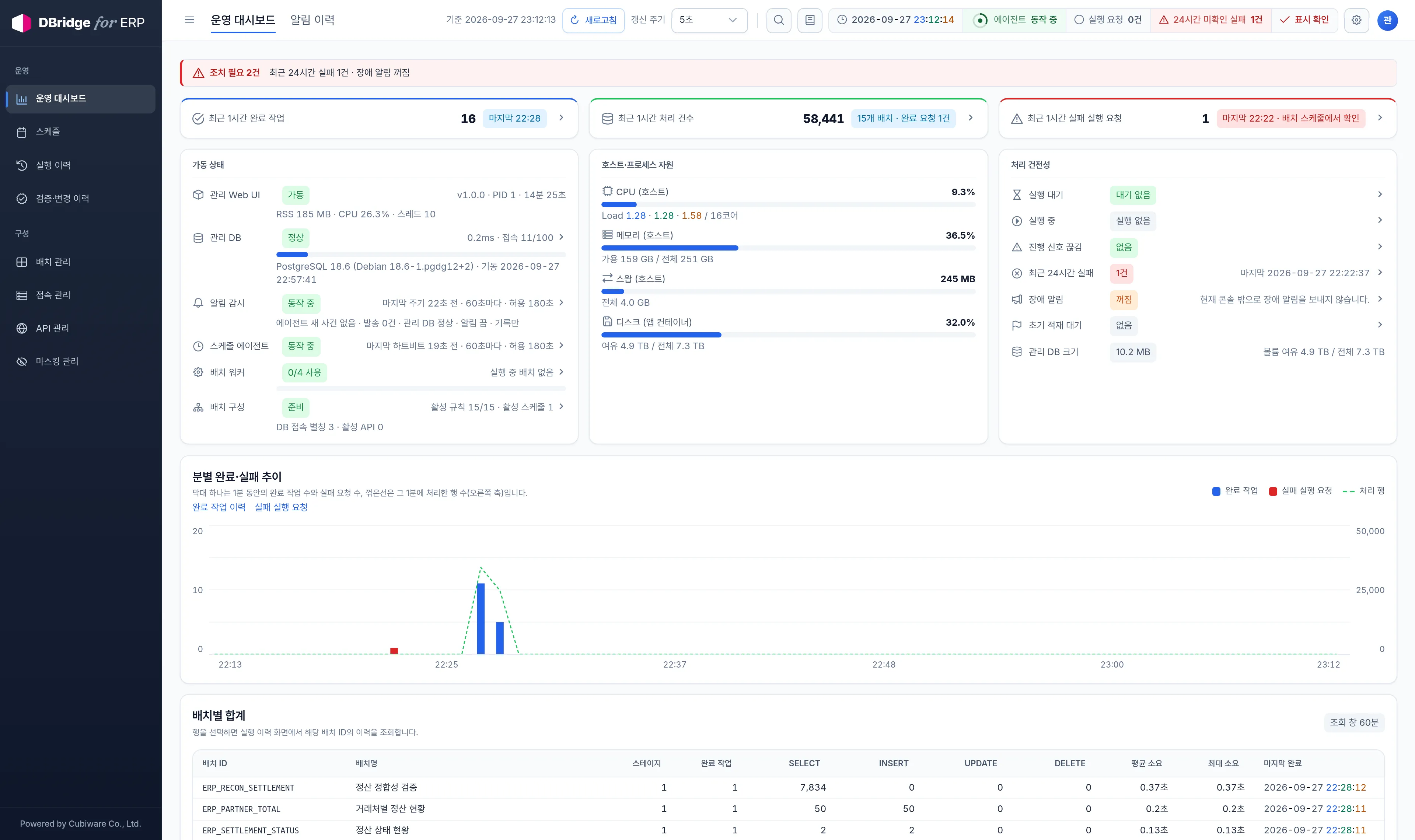
Operations dashboard · Status and trends
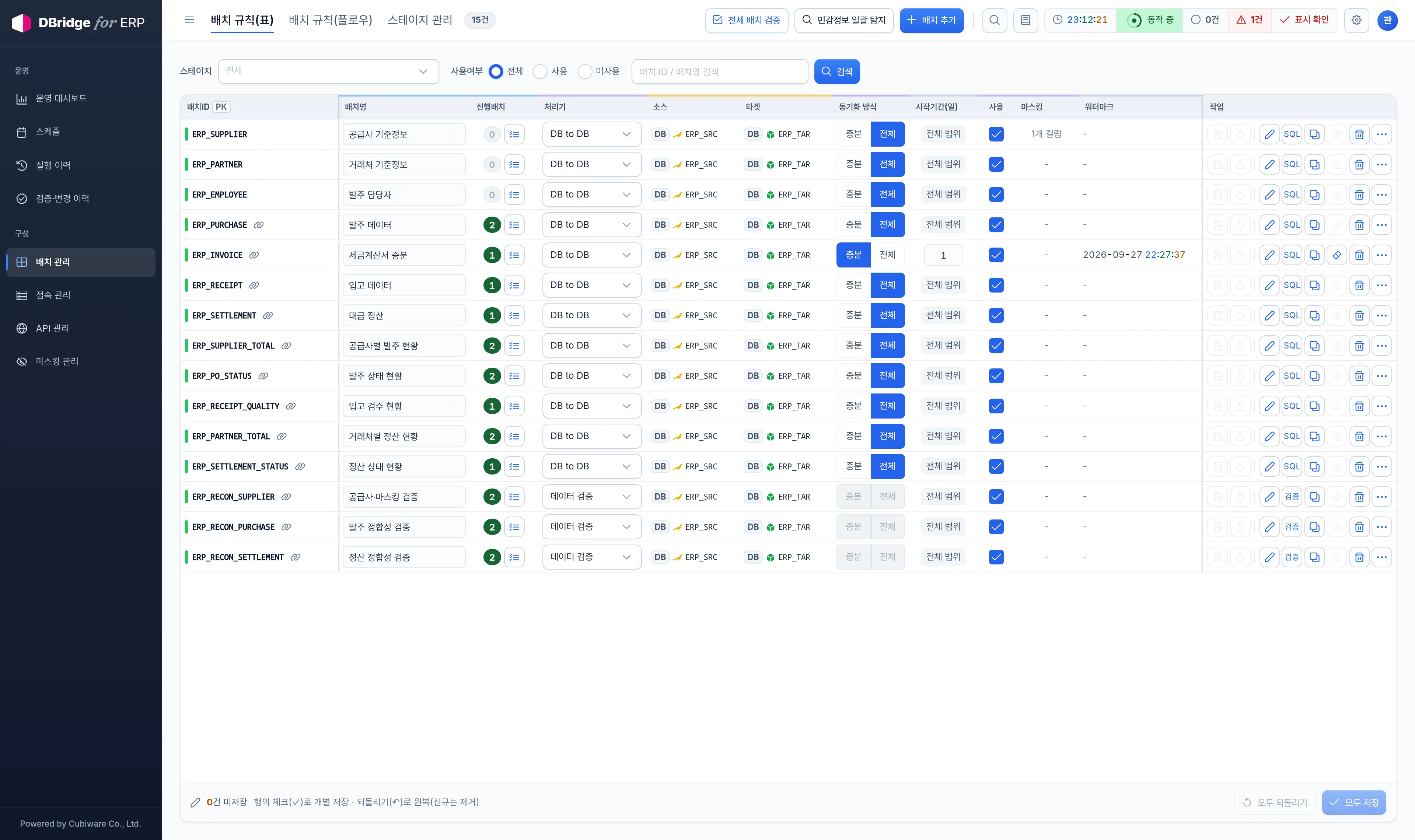
ERP batch rules · Workload configuration
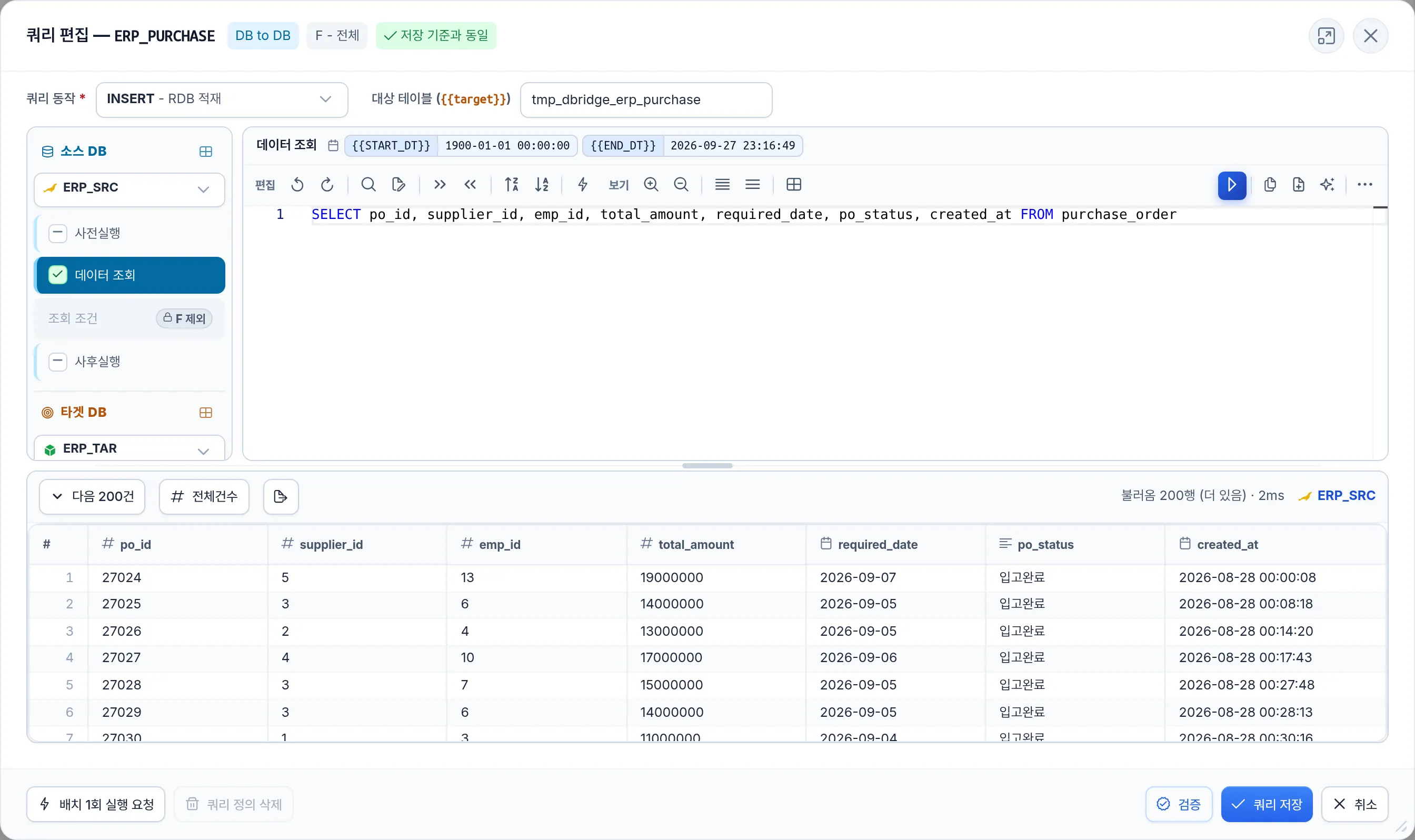
Database query · SQL and result preview
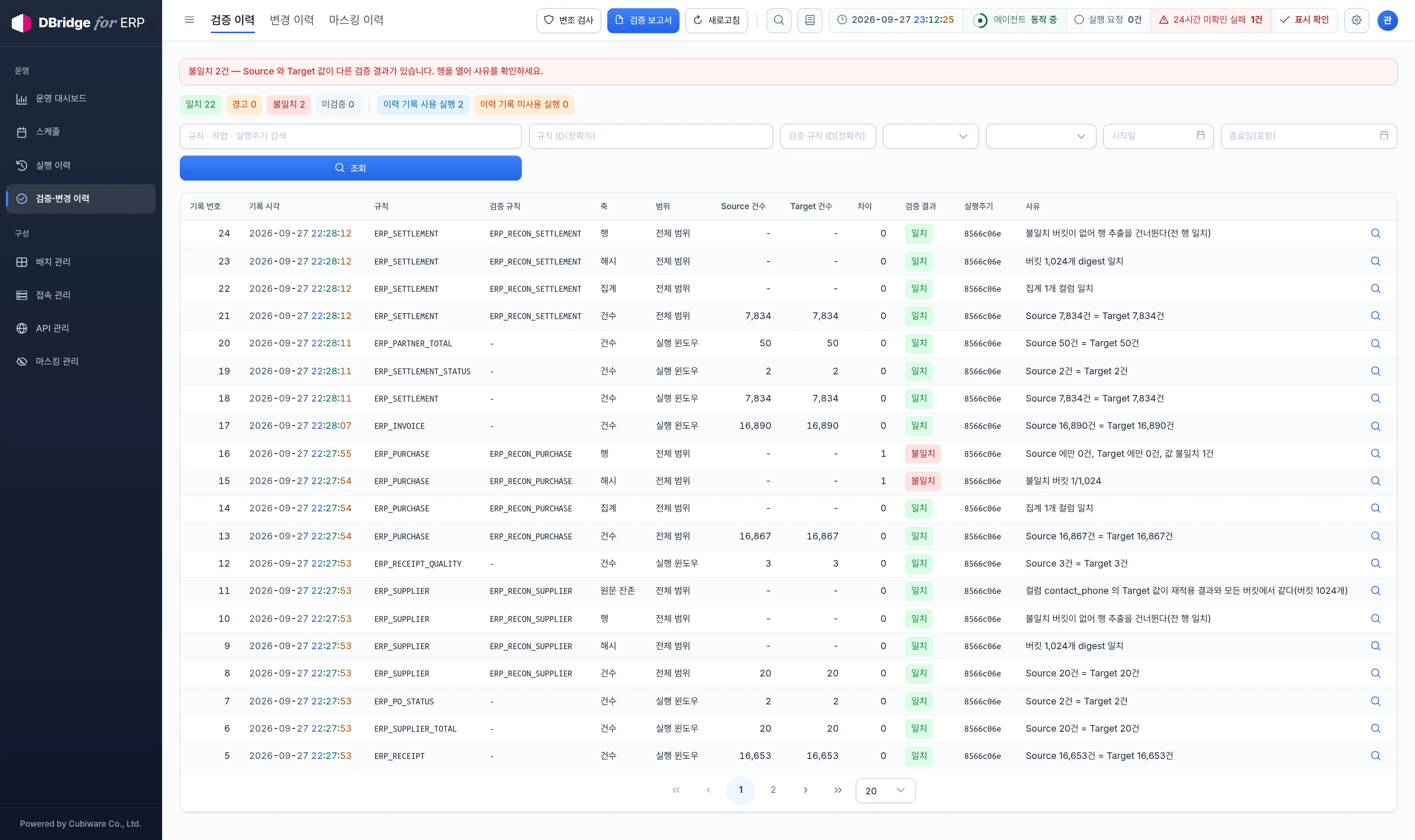
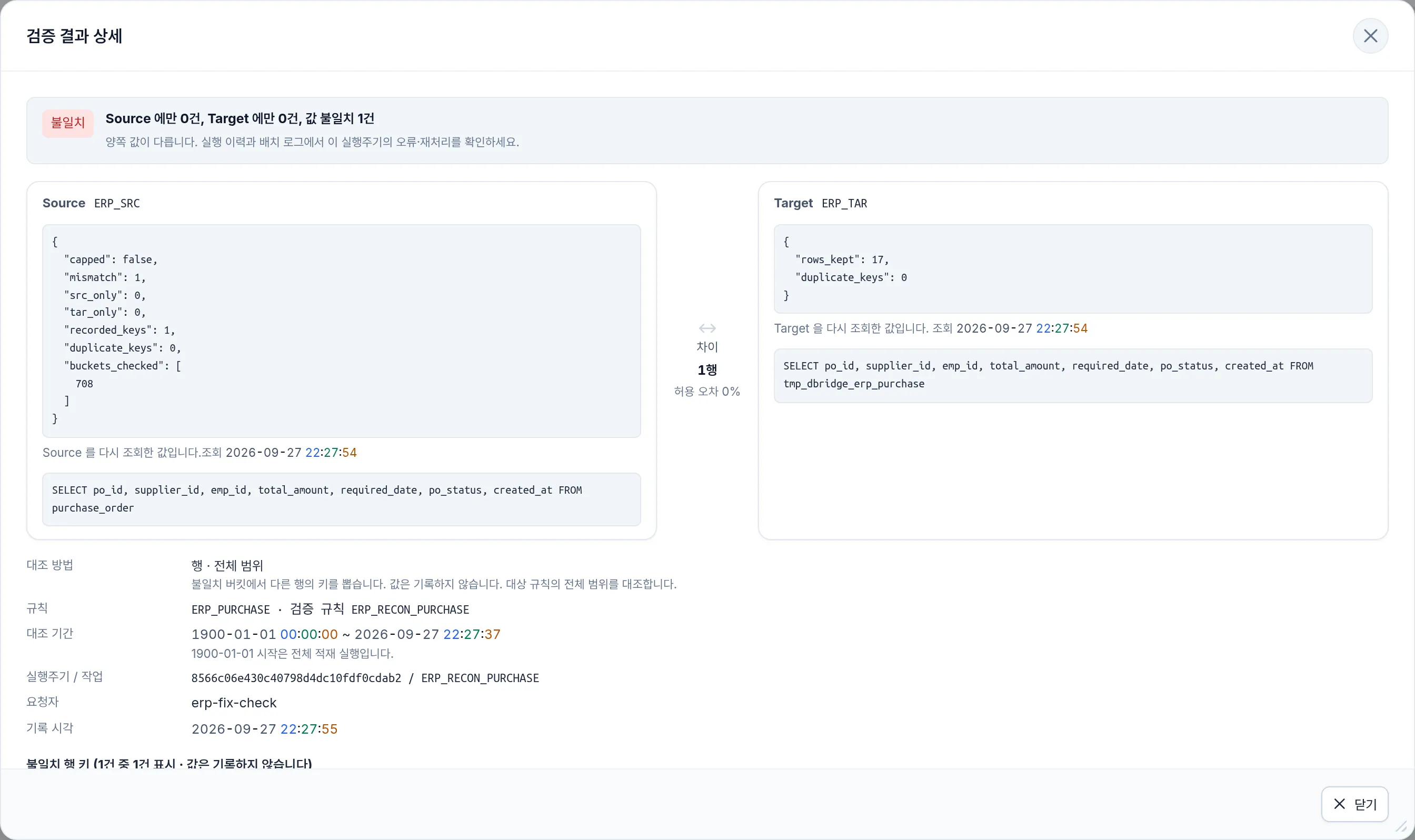
Reconciliation · Comparison history
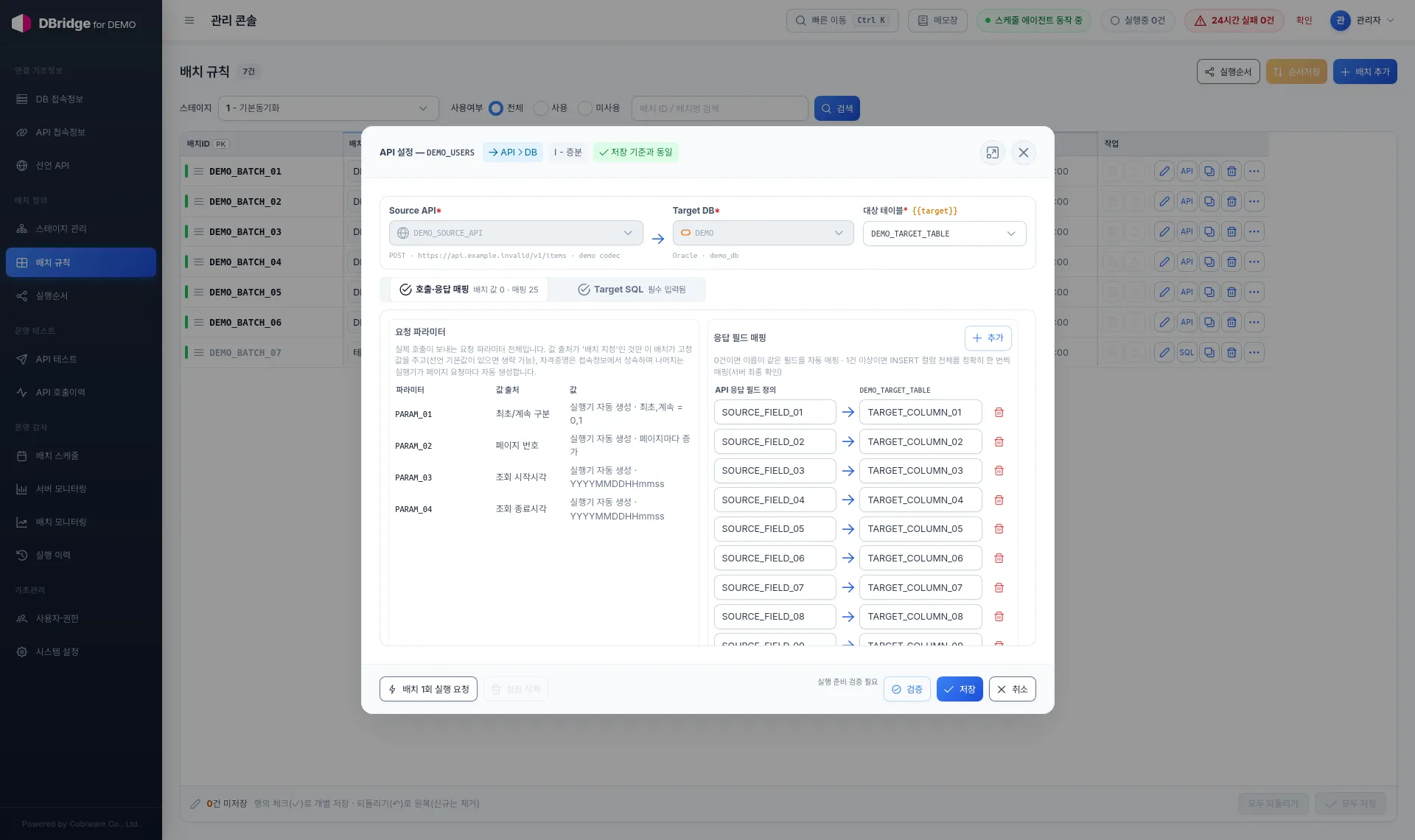
API-to-database · Response mapping example
The ERP screens are an actual DBridge demo using synthetic data. The API mapping is a separate synthetic example.
Screen Details
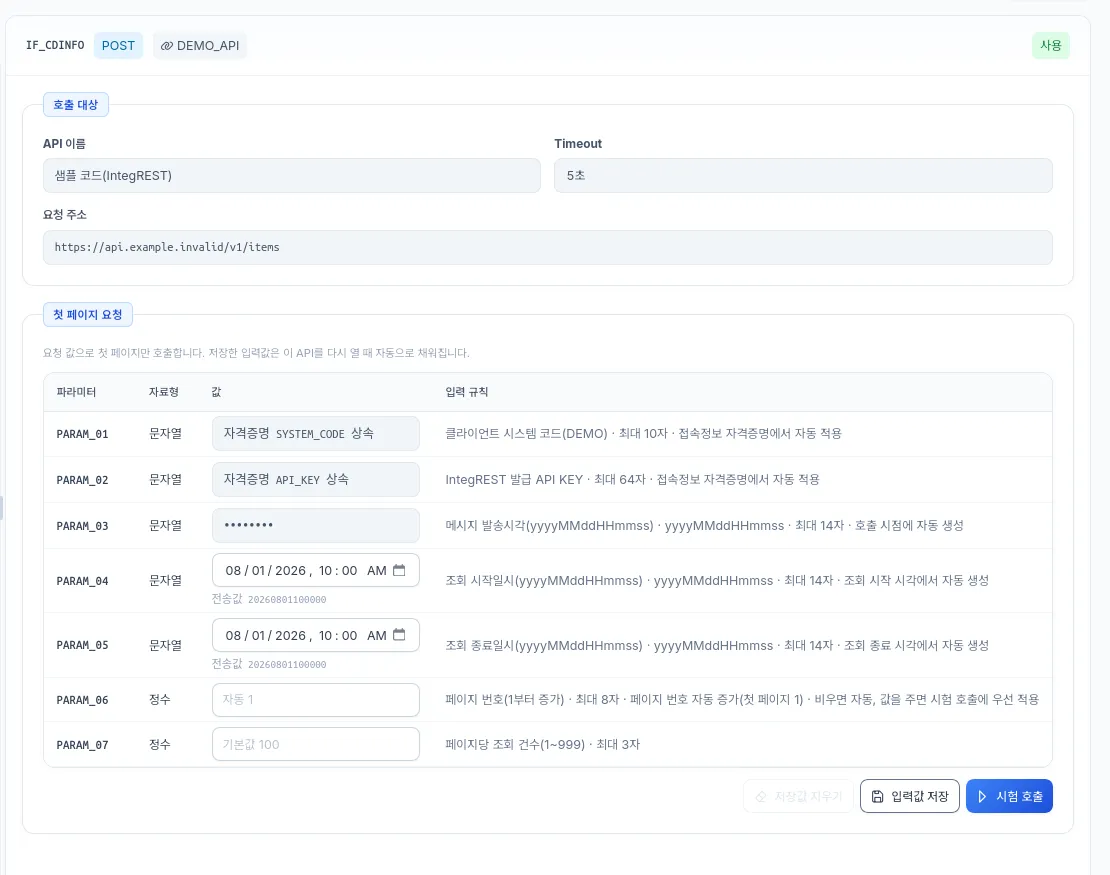
ERP source query and result previewERP reconciliation detailsAPI response-field mapping exampleAPI test call example
Supported Sources and Targets
PostgreSQLSource · Target
OracleSource · Target
MySQL · MariaDBSource · Target
MSSQLSource · Target
HTTP APISource only
Search index (FTS)Target only · extended configuration
Vector databaseTarget only · extended configuration
Graph database (GDB)Target only · extended configuration
Closed-Network Installation and Operation
An offline bundle installs without an on-site build, and neither installation nor operation requires an internet connection.
Offline bundleInstallation components delivered with integrity checksums
InstallationIntegrity check, then installation without an on-site build
Encrypted secretsConnection passwords and API credentials stored encrypted with our crypto library (STRCrypt)
Change historyWho changed a setting, when, and its before and after values
Deployment Environment
Version
1.0
Runtime environment
Linux · Docker Compose
Included components
Batch engine · Web console · Metadata database
Installation
Closed-network offline bundle (no internet connection required)
Adoption Process
Requirements analysis — integration direction, source and target systems, data volume, and run frequency
Rule registration — connections, batch rules, and job dependencies
Verification and operation — test runs to confirm results, then scheduled operation
Adoption Inquiry
We provide configuration and rollout guidance based on your requirements and operating environment. Demo and proposal requests are handled through the same contact.


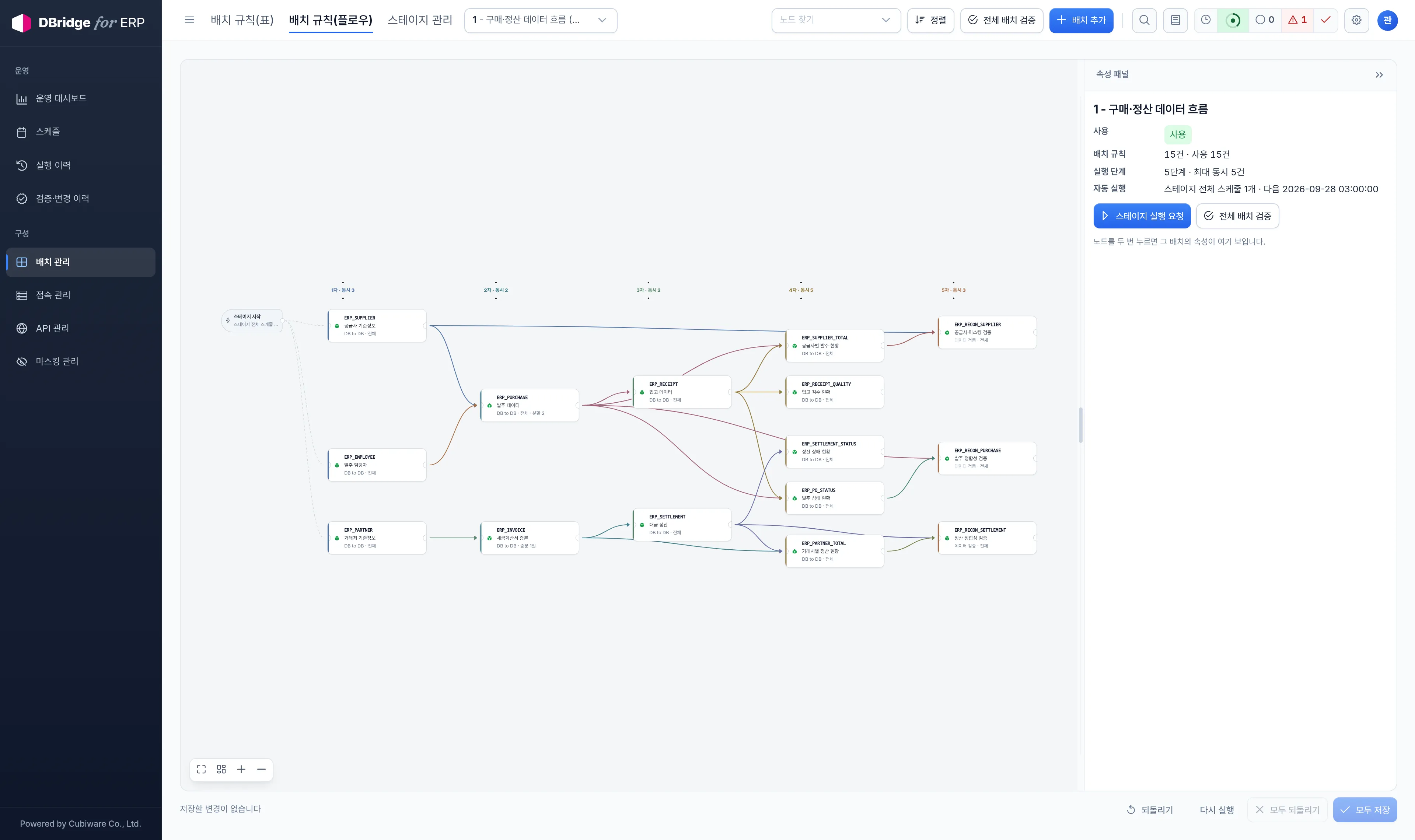 ERP batch flow · Dependencies